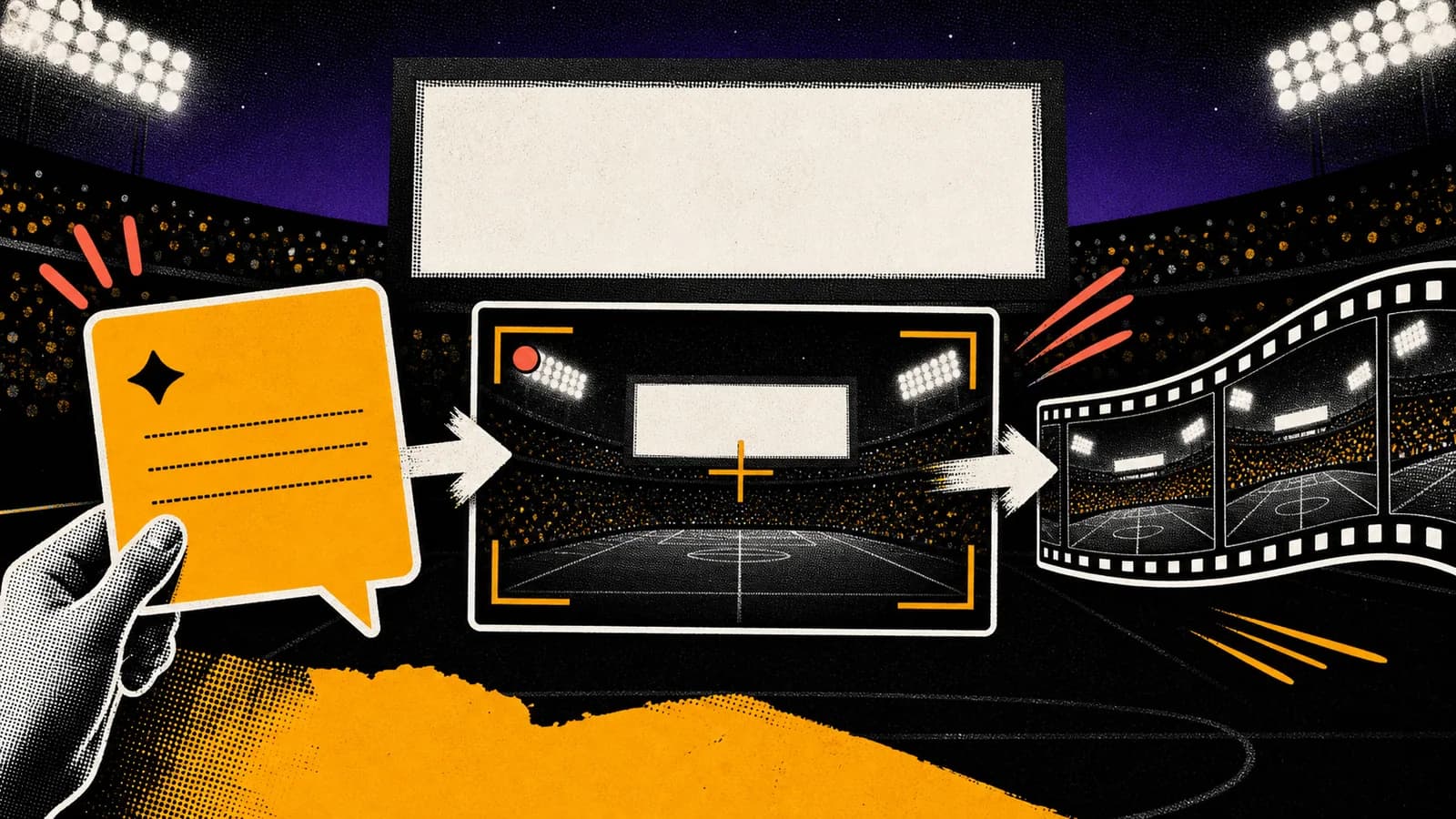
The stadium fan-cam trend is spreading because it combines three things that short-form platforms already reward: recognizable sports broadcast language, a clear emotional reveal, and camera movement that feels familiar. The strongest workflow is not to ask Kling for everything at once. Use ChatGPT or GPT Image 2 to plan the still frame, then use Kling to animate the broadcast moment.
Short answer
The ChatGPT + Kling stadium fan-cam workflow is a two-step AI video process. First, use ChatGPT or GPT Image 2 to create a believable stadium broadcast still: crowd depth, lens compression, floodlights, subject placement, and a clear fan-cam frame. Then use Kling image-to-video with a prompt that controls camera zoom, crowd motion, and broadcast pacing.
The trend works best when the prompt is specific about camera behavior. Ask for a telephoto sports broadcast shot, a slow stadium screen zoom, subtle crowd movement, handheld broadcast shake, and a clean reveal. Avoid overloading the scene with dramatic effects because the realism comes from familiar TV language, not fantasy spectacle.
Key takeaways
- Build the stadium fan-cam trend as a still-image-to-video workflow, not a single vague video prompt.
- The still frame should solve identity, stadium layout, lighting, and broadcast composition before Kling animates it.
- Kling prompts should describe camera movement, crowd behavior, and timing with restraint.
- The most believable results look like an ordinary sports broadcast moment, not a cinematic trailer.
Use this guide when you want to
- Creating TikTok, Reels, or Shorts concepts around AI stadium fan-cam videos.
- Turning a portrait or character concept into a sports broadcast-style video.
- Testing Kling image-to-video prompts with realistic camera movement.
- Building Seedory prompt templates for viral AI video trends.
Why the stadium fan-cam trend works
The trend feels believable because it borrows from a visual language people already know. Stadium broadcasts use long lenses, floodlights, crowd compression, scoreboard cuts, subtle camera shake, and a short emotional reveal when a fan appears on screen. If the AI video captures those cues, viewers understand the scene immediately.
That is why the best prompt is not just a description of a person in a stadium. It is a description of a broadcast moment. The image needs a clear camera angle, realistic crowd depth, and enough environmental detail to make Kling animate the scene like live footage instead of a generic AI crowd.
Step 1: Generate the still frame first
Start with the still image because it controls the foundation. Use ChatGPT to write a structured image prompt, then generate a frame that already looks like a paused sports broadcast. Define the stadium type, seating angle, lighting, lens, subject placement, scoreboard position, and broadcast crop.
A useful still-image prompt describes a telephoto stadium fan-cam shot from the opposite side of the stands, subject centered in a dense crowd, bright field lights, shallow broadcast compression, natural fan reactions, realistic seating rows, and no text overlays. The goal is a frame that would still make sense before animation.
Step 2: Animate with Kling
Once the still frame is believable, use Kling for motion. The video prompt should control one main camera action: slow zoom, slight handheld broadcast drift, scoreboard reveal, crowd reaction, or a gentle pan. Too many moves at once can make the video feel artificial.
Keep motion instructions grounded: subtle crowd movement, small head turns, waving flags as background texture, stadium lights flicker slightly, broadcast camera slowly pushes in for two seconds, then holds on the subject. This gives Kling a cinematic path without asking it to reinvent the image.
Prompt pattern to reuse
Use this prompt structure: create a realistic sports broadcast fan-cam video from the reference image. Keep the subject identity, seating layout, stadium scale, and lighting consistent. Use telephoto lens compression, subtle handheld broadcast shake, a slow zoom toward the subject, natural crowd movement, and no text overlays.
Then add sport-specific details. For baseball, mention dugout-level lighting, rows of fans, cap colors, and scoreboard glow. For football, mention packed stands, field floodlights, sideline energy, and broadcast lens movement. The format stays the same, while the stadium world changes.
Common mistakes
The first mistake is asking for too much drama. Fireworks, impossible camera moves, cinematic smoke, and massive crowd waves can make the result look fake. The fan-cam trend is stronger when it looks ordinary enough to be real.
The second mistake is letting the image prompt and video prompt fight each other. If the still frame shows a night baseball stadium, the Kling prompt should not suddenly ask for a daytime football broadcast. Keep the world consistent and change only the motion.
How Seedory can help
Seedory can turn this workflow into reusable prompt templates. Instead of rewriting the same stadium instructions every time, save the image prompt, video prompt, and repair notes as a repeatable system. Then swap the subject, sport, stadium, or camera move while keeping the broadcast realism intact.
That is the practical value of trend prompting. You are not just chasing one viral format. You are building a prompt workflow that can adapt to new visual trends as AI image and video models improve.
Frequently asked questions
What is the ChatGPT + Kling stadium fan-cam trend?
It is an AI video workflow where creators use ChatGPT or GPT Image 2 to plan a realistic stadium broadcast frame, then use Kling image-to-video to animate it with camera movement, crowd motion, and fan-cam timing.
Should I generate the image or video first?
Generate the still image first. A strong reference frame gives Kling a stable stadium, subject, lighting setup, and camera angle to animate.
What makes the stadium trend look realistic?
Realism comes from sports broadcast cues: telephoto lens compression, packed crowd depth, floodlights, subtle camera shake, slow zooms, and natural background motion.
Can Seedory prompts be used for Kling videos?
Yes. Seedory can provide the structured still-image prompt and the video prompt pattern, then you can adapt those prompts for Kling image-to-video generation.
Continue exploring
Related guides
AI Image Models
GPT Image 2: What OpenAI's New Image Model Means for Creators
GPT Image 2 is not just another AI image model update. It changes how creators can think about prompts, edits, reference images, and production-ready visual work.
Prompt Writing
How to Write Better AI Image Prompts
Better AI image prompts are built, not guessed. A strong prompt tells the model what matters, what can stay simple, and how the final image should feel.
Troubleshooting
Common AI Prompt Mistakes That Hurt Good Images
Most prompt failures are not dramatic. They are small structural mistakes that blur the subject, confuse the style, or remove control from the frame.